How to Use an OBD2 Scanner (Beginner Guide)
Learn how to read your check engine light codes at home in a few minutes with any basic OBD2 scanner.
 YouTube
1. Find the OBD2 port
On most cars (1996+ in the US) the 16-pin port is under the dash on the driver side, near the steering column or knee bolster. Look for a trapezoid-shaped connector. Consult your owner's manual if needed.
2. Plug in with ignition ready
With the engine off, plug the scanner firmly into the port. Turn the key to ON (or press Start without starting the engine for push-button cars) so the dash lights up. Many Bluetooth adapters pair at this stage.
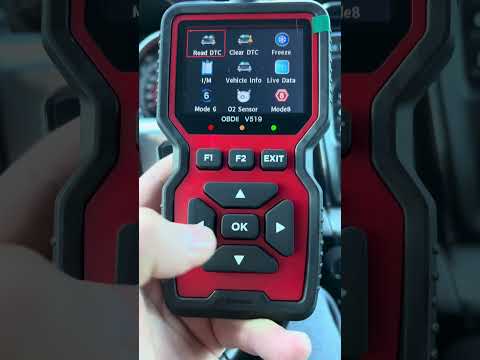
3. Read codes
Follow the scanner or app prompts to "Read Codes" or "Scan." Write down every code (e.g. P0420, P0301). Pending codes matter too — they are early warnings.
4. Look up the meaning
Search each code on this site for causes, symptoms, estimated cost and repair steps. Do not clear codes until you understand the problem.
5. Fix, then clear
After the repair, clear codes and drive through a mix of city and highway so readiness monitors can reset. If the light returns, the root cause is still present.
Related Fault Codes
Related Symptoms
Helpful Tools
BlueDriver Bluetooth Pro OBDII Scan Tool
Professional Bluetooth scanner with live data, enhanced diagnostics (ABS/SRS) and repair reports. Works with iPhone & Android. No subscription fee.
Check Price on Amazon →ANCEL AD310 Classic Enhanced OBD2 Scanner
Best-selling handheld code reader. Read & clear engine codes, live data, freeze frame. No phone required. Highly rated for beginners.
Check Price on Amazon →As an Amazon Associate we earn from qualifying purchases.